

If you’re exploring ways to make your home more stylish, efficient, and future-ready, you’re in the right place. Today’s homeowners aren’t just looking for beautiful spaces—they want smart living solutions that simplify routines, reduce energy costs, and seamlessly blend technology with design.
This article is built to guide you through the latest home trends, practical automation ideas, and smart home basics that actually make a difference in daily life. Instead of overwhelming you with technical jargon, we focus on clear, actionable insights you can apply right away—whether you’re upgrading one room or rethinking your entire space.
Our insights are grounded in ongoing research into emerging decor innovation, consumer tech advancements, and real-world usability testing. We analyze what works in modern homes and what doesn’t, so you can make confident decisions.
By the end, you’ll understand which trends are worth your investment, how to integrate smart features effortlessly, and how to create a home that’s both intelligent and beautifully designed.
Your First Step into an Automated World
Stepping into home automation can feel like learning a new language. Terms like Zigbee, Z-Wave, and Matter sound intimidating at first. However, once you grasp the smart home basics, everything clicks. These are simply the rules that let devices talk to each other. Think of them as different messaging apps for your lights, locks, and thermostats. Next, you will discover hubs, sensors, and voice assistants. A hub is the command center, while sensors detect motion, temperature, or light. As a result, you gain convenience, energy savings, and peace of mind. Start small first.
The Anatomy of a Smart Home: Core Components Explained
Think of a smart home like a living, breathing organism. At its core, it runs on three essential parts: sensors, controllers, and actuators. Once you understand these smart home basics, everything else clicks into place.
First, sensors are the senses. A sensor is a device that detects changes in the environment and sends that information elsewhere. Motion sensors notice movement and can trigger lights in a hallway. Temperature sensors read the air and inform your thermostat when it’s too warm or too cold. Contact sensors sit quietly on doors and windows, alerting you when they open. In other words, sensors “feel” the world around your home (like tiny digital nerve endings).
Next comes the controller—the brain. A controller is the decision-making unit that processes information from sensors and decides what should happen next. Sometimes it’s as simple as a smartphone app. More advanced setups use a dedicated smart home hub that connects multiple devices and automates routines. If the sensor says, “It’s dark,” the controller decides, “Turn on the lights.” Think of it as mission control, minus the NASA budget.
Finally, actuators are the muscles. An actuator is any device that performs a physical action based on a command. Smart plugs switch lamps on or off. Smart locks secure your door. A thermostat adjusts your HVAC system. Together, these components move your home from reactive to responsive—almost like it has a mind of its own.
The Language of Smart Devices: Understanding Communication Protocols
Smart homes don’t just “work.” They communicate. And the language they use determines whether your lights respond instantly—or lag like a buffering video from 2009.
To move beyond smart home basics, you need to understand the protocols powering everything behind the scenes.
Wi-Fi: The Heavy Lifter
First, Wi-Fi is the most common protocol. It connects directly to your router, which means no hub is required. Speeds are high, making it perfect for cameras and streaming doorbells. However, every Wi-Fi bulb or plug competes for bandwidth. Too many devices can congest your network (especially on 2.4 GHz bands), and battery-powered gadgets drain quickly because Wi-Fi requires more energy.
Some argue Wi-Fi is enough for an entire smart home. In small setups, that’s fair. But in larger homes with 30+ devices, performance bottlenecks become very real.
Bluetooth & BLE: Close-Range Specialists
Next, Bluetooth Low Energy (BLE) is designed for short-range, low-power communication. It’s ideal for smart locks or wearables. The trade-off? Limited range and fewer simultaneous connections. If your phone isn’t nearby, control may drop off.
Still, for apartments or single-room automation, BLE can be incredibly efficient.
Zigbee & Z-Wave: The Mesh Advantage
Here’s where many competitors stop short. Zigbee and Z-Wave use a mesh network—meaning devices relay signals to one another. Think of it like a relay team passing a baton; each device extends the network’s reach. The result is improved reliability and less Wi-Fi congestion.
Yes, they usually require a hub. Critics see that as extra cost. But separating your automation network from your internet traffic significantly improves stability.
Matter: The Universal Translator
Finally, Matter is built to unify brands under one standard. It simplifies setup and improves interoperability across ecosystems. That means smoother performance when integrating ai assistants into everyday home routines.
In short, choosing the right protocol isn’t just technical—it’s strategic. The right mix ensures speed, reliability, and long-term compatibility.
Choosing Your Command Center: Hubs vs. The Cloud
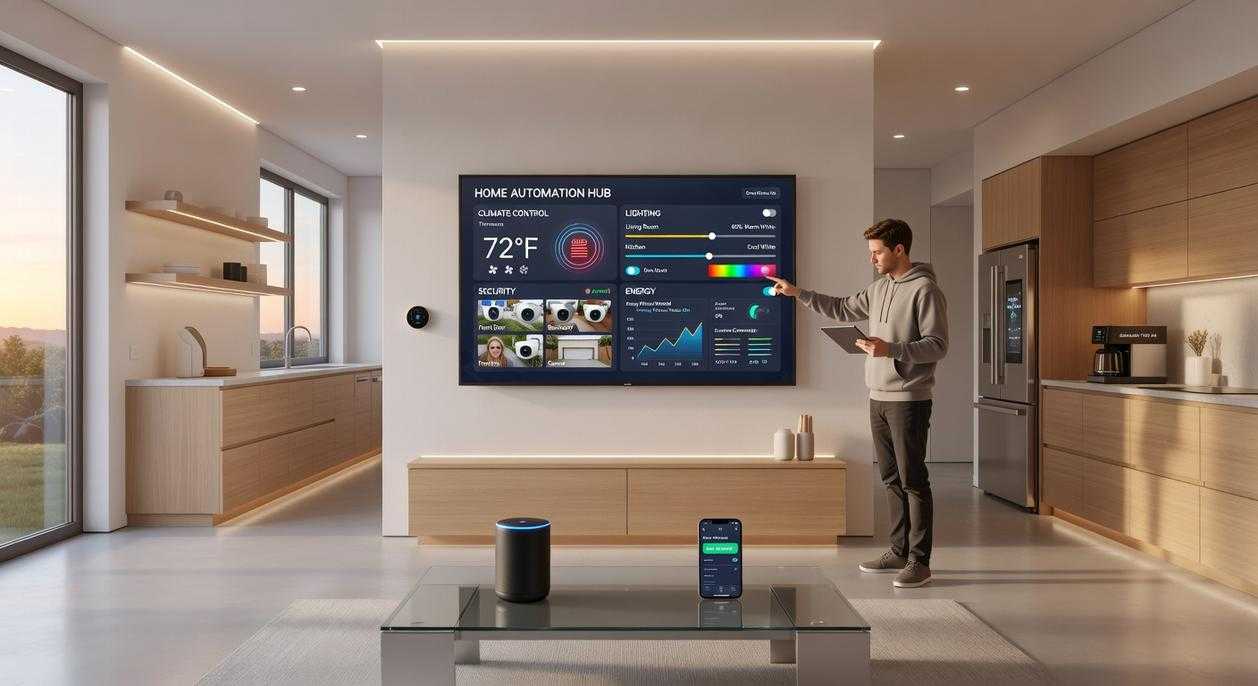
When setting up your smart home basics, one of the biggest decisions is where your commands get processed: in the cloud or inside your home.
Cloud-Based Control
Systems like Amazon Alexa and Google Home send your commands over the internet to remote servers, which then send instructions back to your devices.
Pros:
- Easy setup (plug in, connect, go)
- Powerful voice assistants
- Automatic updates and integrations
Cons:
- Requires constant internet access
- Potential latency (that awkward pause before the lights turn on)
- Data privacy concerns, since voice recordings may be stored remotely (see FTC guidance on smart device data practices)
Cloud fans argue the convenience is unbeatable—and they’re not wrong. If you value plug-and-play simplicity, cloud systems feel like Netflix for your lights.
Local Control (Hub-Based)
A hub-based system processes commands within your home network. Think of the hub as your home’s private air traffic controller.
Pros:
- Faster response times
- Works even if the internet goes down
- Enhanced privacy and security (data stays local)
Cons:
- Higher upfront cost
- Slightly steeper learning curve
Critics say hubs are overkill. But if reliability matters—like automated locks or security sensors—local control is the safer bet.
Quick Comparison
| Feature | Cloud-Based | Hub-Based |
|———-|————–|————|
| Internet Required | Yes | No |
| Speed | Moderate | Fast |
| Privacy | Lower | Higher |
| Setup | Simple | Moderate |
The Hybrid Approach (Best of Both)
Many modern systems combine local automation with cloud voice control. Recommendation: Choose hybrid if possible. Use local control for security and lighting routines, and cloud features for voice convenience. (Pro tip: Prioritize devices supporting Matter for better cross-platform compatibility.)
Building Your Smart Home with Confidence
So, where do you go from here? First, take a breath. The smart home basics—sensors (devices that detect changes like motion or temperature), controllers (the “brains” that make decisions), and actuators (the parts that act, like locks or bulbs)—aren’t as intimidating as they sound. Think of them as a tiny tech Avengers team, minus the capes.
However, before you start buying every gadget in sight, pause. Ask yourself:
- Do I want simple Wi-Fi devices or a hub-based system for stronger privacy and reliability?
- What problem am I actually solving?
- Can I start with just one room?
In other words, build slowly. Even Tony Stark started with one suit.
Bring Your Home Into the Future Today
You came here to better understand how modern design and technology can work together in your space—and now you have a clear path forward. From emerging decor trends to practical automation strategies, you’ve seen how blending style with innovation creates a home that’s not just beautiful, but intelligent.
The real pain point isn’t a lack of inspiration—it’s knowing how to turn ideas into a functional, future-ready living space without feeling overwhelmed. Mastering smart home basics and applying them with purpose is what transforms confusion into confidence.
Now it’s time to take action. Start by upgrading one space with a simple automation feature, integrate energy‑efficient lighting, or explore connected devices that simplify your daily routine.
If you’re ready to eliminate guesswork and create a smarter, more efficient home, explore our expert-backed insights and practical guides today. Join thousands of readers who are already transforming their homes with proven strategies—start building your smarter space now.