
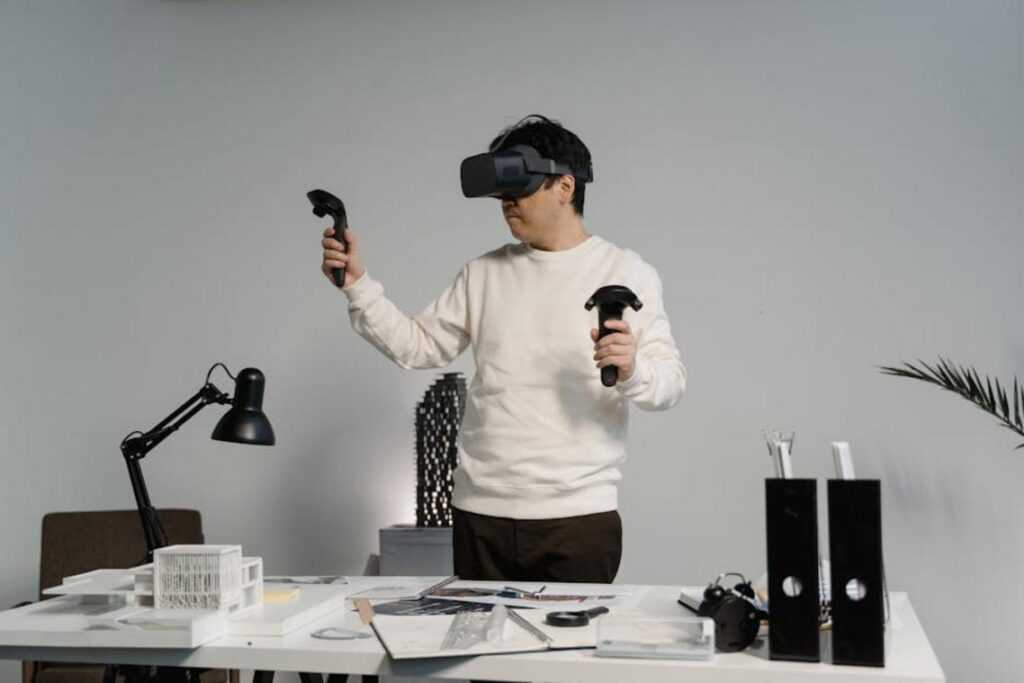
Designing a home that feels both stylish and functional has never been more complex—or more exciting. If you’re searching for smarter ways to visualize layouts, test décor choices, and avoid costly design mistakes, this guide to augmented reality interior design is built for you. Today’s homeowners want more than inspiration; they want practical tools that bring ideas to life before committing time and money.
In this article, you’ll discover how augmented reality is transforming interior planning, from real-time furniture placement to immersive room previews and tech-enhanced customization. We break down how the technology works, which tools are worth exploring, and how to integrate AR into everyday design decisions.
To ensure accuracy and relevance, we’ve analyzed leading AR platforms, reviewed current smart home innovations, and referenced insights from interior designers and home technology specialists. The result is a clear, actionable overview that helps you confidently explore the future of home design—today.
Step Inside Your Dream Home Before It’s Built
I’ve always thought floor plans feel like reading a recipe without tasting the food. You think it will work, but you don’t know. That’s why I’m convinced VR changes everything. Instead of guessing whether the sofa fits or if morning light flatters that blue, you can walk through it first.
| Traditional Plans | VR Experience |
| 2D layouts | Immersive walkthroughs |
| Guesswork | Real-time adjustments |
With augmented reality interior design, decisions feel smarter and far less risky. In my view, that confidence alone is worth it. It turns doubt into something surprisingly empowering. And deeply practical.
Beyond Mood Boards: How VR Revolutionizes Spatial Planning
For years, homeowners relied on mood boards and 2D floor plans to imagine their future spaces. However, there’s a fundamental difference between looking at a drawing and standing inside a design. Virtual reality (VR) converts flat layouts into immersive 3D environments, delivering true-to-life scale, depth, and proportion. You can see how sunlight hits the kitchen island at 8 a.m. or whether a ceiling feels airy or cramped (a detail blueprints politely avoid). That realism transforms guesswork into informed decision-making.
More importantly, VR eliminates costly surprises. Instead of discovering your sectional blocks a walkway after delivery, you can test furniture dimensions, traffic flow, and sightlines in advance. Designers can simulate ergonomics—like counter heights or reach zones—to ensure functionality matches aesthetics. In other words, mistakes get fixed virtually, not with a refund policy.
Meanwhile, collaboration becomes dramatically clearer. Clients, architects, and contractors can enter the same virtual model, review finishes, and adjust layouts in real time. This shared clarity reduces miscommunication and change orders. And when paired with augmented reality interior design tools, users can seamlessly compare virtual concepts with their physical rooms. The result? Faster approvals, smarter investments, and spaces that feel right before construction even begins.
Practical Magic: Key VR Applications for Your Project
When people hear “VR for home design,” they often assume it’s just a flashy extra. However, in practice, it solves everyday layout problems before you spend a single dollar.
Virtual Walkthroughs and Layout Planning are the most common applications—and for good reason. A virtual walkthrough lets you move through a digital version of your space as if it were already built. You can place, rotate, and resize furniture to test arrangements in real time. Wondering if the sectional blocks the TV? Or whether the kitchen island disrupts foot traffic? Now you can check sightlines (what you see from a seated or standing position) instantly. Some skeptics argue that a tape measure and graph paper work fine. True—but they won’t show you how cramped a room feels until it’s too late.
Next, testing materials, colors, and finishes removes guesswork. Instead of squinting at tiny samples, you can swap hardwood for tile, preview matte versus gloss cabinets, or repaint walls with a click. This is especially powerful in augmented reality interior design, where digital elements overlay your real space. (Goodbye, sample board chaos.)
Finally, simulating natural and artificial lighting adds another layer of realism. Lighting simulation means previewing how sunlight shifts during the day or how fixtures illuminate a room at night. You can spot glare on countertops or dark hallway corners before installation.
Pro tip: Always test your design at multiple times of day—morning optimism can look very different at 8 p.m.
Your Toolkit: Getting Started with VR Home Design

Stepping into VR home design can feel overwhelming at first, so let’s break it down into simple pieces.
Hardware Requirements: What You Actually Need
First, the headset. At the most basic level, smartphone-based viewers like Google Cardboard let you explore 3D rooms in a limited, visual-only way. These are affordable and great for testing the waters (think of it as the demo version of a video game). On the other hand, standalone headsets like the Meta Quest offer full immersion. Immersion simply means you can look, walk, and sometimes “grab” objects in a virtual space as if you’re inside it.
Software and Apps for Every Level
Next comes software. Beginner-friendly apps such as Realize Design focus on drag-and-drop simplicity. More advanced users often turn to SketchUp Viewer, which allows you to manipulate detailed 3D models. Professionals rely on high-end platforms with precise measurements, lighting simulations, and client-collaboration tools. Some platforms even blend augmented reality interior design features, letting you overlay furniture into your real room through your device.
Working with Professionals
Finally, many design firms now offer VR consultations. This means you can walk through proposed layouts before construction begins—similar to previewing interactive walls and digital art displays for modern homes (https://decoradtech.com.co/interactive-walls-and-digital-art-displays-for-modern-homes/). In short, VR reduces guesswork and boosts confidence.
A Balanced View: The Pros and Cons of Designing in VR
Virtual reality design promises freedom. Many homeowners and professionals report increased confidence when they can walk through a space before committing to drywall and wiring. Seeing scale in 3D often prevents costly layout mistakes and sparks clearer conversations with contractors. Designers can experiment boldly, swapping finishes or furniture in seconds, without the fear of expensive do-overs.
Yet skeptics raise fair points. High-end headsets carry upfront costs, some software has a learning curve, and photorealism varies by platform. Not every rendering looks like a blockbuster film (sorry, no instant Marvel set).
Still, for projects, clarity and mistake prevention outweigh hurdles. If you are wondering what comes next, start small, test platforms, and explore augmented reality interior design alongside VR to compare workflows. Pro tip: budget time for training just as you would materials. The payoff is confidence seen and shared.
From Vision to Reality: Your Next Step in Tech-Enhanced Design
Let’s be honest: the hardest part of home design isn’t choosing paint colors. It’s trying to picture how everything will actually look together—and getting it wrong (again). That frustration of buying a sofa that “should have fit” is exactly why VR changes the game. It closes the gap between imagination and reality, helping you create a space that’s both beautiful and functional. While some argue sketches are enough, visualization is the real hurdle—and VR is today’s most powerful fix. Start small: try a free app featuring augmented reality interior design or ask about VR at your next consultation.
Design Smarter, Live Better
You came here to understand how modern technology is reshaping home design—and now you can clearly see how innovation, automation, and augmented reality interior design are transforming everyday living spaces.
The real challenge isn’t inspiration. It’s knowing how to turn great ideas into a functional, future-ready home without wasting time or money. Smart design decisions today prevent expensive mistakes tomorrow.
The opportunity is yours to take action. Start by identifying one space in your home that could benefit from smarter layout planning or integrated technology. Explore tools that let you visualize changes before committing, experiment with connected devices that simplify daily routines, and choose solutions that blend style with function.
If you’re ready to eliminate guesswork and create a home that truly works for you, now’s the time to act. Discover proven strategies, practical automation tips, and design-forward insights trusted by thousands of modern homeowners. Take the next step today and transform your space into a smarter, more intuitive place to live.