
Smart homes are no longer a futuristic concept—they’re becoming the standard for modern living. If you’re searching for a clear, practical way to upgrade your space, this home automation setup guide is designed to give you exactly that: straightforward steps, smart device recommendations, and real-world tips to help you build a connected home with confidence.
Many homeowners feel overwhelmed by the sheer number of devices, apps, and compatibility requirements on the market. This article cuts through the confusion by focusing on what actually works—covering essential components, integration strategies, security considerations, and budget-friendly ways to get started.
Our insights are grounded in continuous research on home tech trends, hands-on testing of smart devices, and analysis of emerging automation systems. By the end, you’ll understand how to create a seamless, efficient, and future-ready smart home setup that enhances comfort, convenience, and everyday living.
Your First Step Into a Smarter Home
Imagine walking into a living room that glows with warm, honeyed light while soft music hums in the background. This home automation setup guide is your practical starting point, moving you from confusion to confidence. First, pause and notice your routines—the click of switches, the chill of morning floors. Next, choose one simple upgrade, like smart bulbs or a thermostat, to feel immediate comfort and energy savings. Some say smart homes are complicated and costly; however, starting small keeps it manageable and personal. Soon, convenience won’t just sound good—it will feel effortless daily.
Before You Buy: Choosing Your Smart Home’s “Brain”
Before you add smart bulbs and video doorbells to your cart, pause. Every smart home needs a central ecosystem—the platform that connects, automates, and controls your devices. Think of it as mission control for your house (yes, very NASA, just with fewer astronauts).
The biggest players are Apple HomeKit, Google Home, Amazon Alexa, and Samsung SmartThings. An ecosystem is essentially a network where compatible devices communicate through a shared app or hub. For example, Apple HomeKit works seamlessly with iPhones and prioritizes on-device encryption, while Alexa shines with broad device compatibility and voice control depth. SmartThings, meanwhile, supports multiple protocols like Zigbee and Z-Wave, giving you flexibility as your setup expands.
So how do you choose? First, consider your existing devices. If you use an iPhone, HomeKit offers tighter integration and stronger privacy controls (Apple states that much of HomeKit data is end-to-end encrypted). Prefer Android and Google services? Google Home may feel more intuitive. Privacy-conscious buyers often lean toward ecosystems that process more data locally rather than in the cloud.
Next, think about connectivity. Wi-Fi devices connect directly to your router, making setup simple. However, Zigbee and Z-Wave are low-power wireless protocols that create mesh networks—devices relay signals to each other, improving reliability and range. That means fewer drop-offs when your smart lock is far from the router.
You can start with a “no-hub” Wi-Fi-only approach. It’s affordable and beginner-friendly. However, as your system grows, managing dozens of separate apps can feel chaotic. A centralized hub streamlines automation, scheduling, and scenes—key steps in any solid home automation setup guide.
Your First Project: Smart Lighting and Plugs
Why start here? Because nothing delivers a bigger “did you see that?” moment for less money. A $15 smart bulb can make your living room feel like Tony Stark designed it (minus the flying suits). Many people assume you need thermostats, cameras, and a full hub to feel the magic. You don’t. Start small. Win fast.
Smart Bulbs vs. Smart Switches
- Smart Bulbs: Best for renters, apartments, or single lamps. Easy install, color options, no wiring.
- Smart Switches: Better for homeowners controlling full rooms. One switch manages multiple fixtures.
Here’s the contrarian take: smart switches are often smarter long-term. Bulbs lose their “smart” features if someone flips the wall switch off (and someone always does). Still, if you can’t rewire, bulbs win by default.
Practical Setup Guide
- Screw in the smart bulb and turn power on.
- Download your ecosystem’s app (Alexa, Google, or Apple).
- Add a new device and connect to Wi-Fi.
- Name the light by room.
- Test voice or app control.
Think of this as your unofficial home automation setup guide.
First Automation Idea
Create a “Welcome Home” scene:
- Trigger lights at sunset or
- Use phone location to turn them on when you arrive.
Pro tip: Start with warm white at 70% brightness. Cozy beats blinding.
Level Up: Expanding with Thermostats and Security
Smart thermostats do more than adjust temperature. They use machine learning (software that recognizes patterns from your behavior) to study when you’re home, asleep, or away—then automatically fine‑tune heating and cooling. According to the U.S. Department of Energy, programmable thermostats can save up to 10% annually on heating and cooling (energy.gov). When choosing one, check for a C-wire (a continuous power wire many smart models require), app control, and compatibility with your HVAC system. (Pro tip: peek behind your old thermostat before buying.)
DIY home security basics are simpler than they sound. A starter system usually includes:
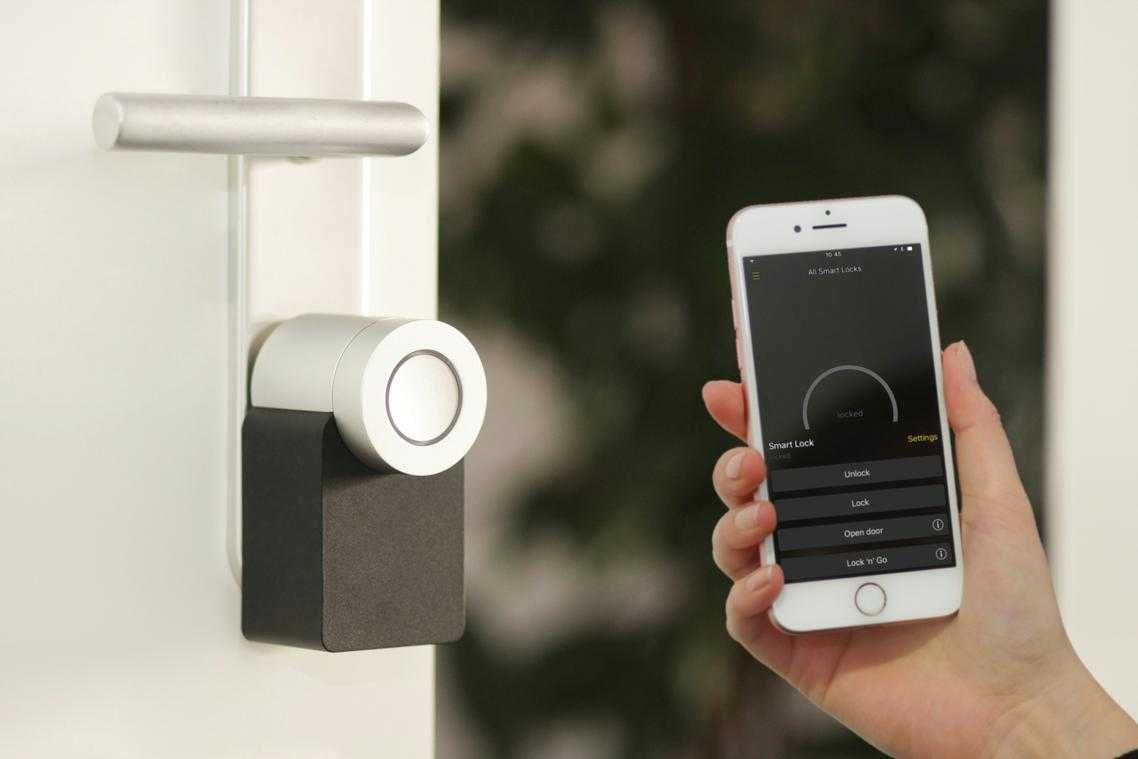
- Smart locks (keyless entry via app or code)
- Door/window sensors (alerts when opened)
- Security cameras (live feed and recordings)
Privacy matters. Place cameras in entryways—not bedrooms—and enable two-factor authentication (an extra login verification step). Regular firmware updates patch security gaps (yes, hackers look for outdated devices).
Integration is key. A door sensor can trigger hallway lights, or a smart lock can signal the thermostat to switch to “away” mode. That’s the power of a connected ecosystem—and why reviewing common home automation mistakes and how to avoid them (https://decoradtech.com.co/common-home-automation-mistakes-and-how-to-avoid-them/) is essential before expanding. Think of it as your home automation setup guide for smarter, safer living.
When devices talk to each other, your home starts thinking ahead.
The Magic of Automation: Creating Your First Routines
A routine (sometimes called a “scene”) is a single command that triggers multiple actions at once. Think of it as telling your house, “Do the thing,” and it actually listens. No eye rolls.
Here’s how to set up two essentials in your home automation setup guide:
- Good Morning: Schedule your lights to slowly brighten, adjust the thermostat to a comfy temperature, and have your smart speaker deliver the weather. (It’s like a butler, minus the awkward small talk.)
- Movie Night: With one voice command, dim the main lights, switch accent lights to a cozy hue, and power on the TV. Bonus points if snacks appear—though we’re not that advanced yet.
Now think beyond the obvious. What daily annoyance drives you nuts? Cold bathroom floors? Forgetting porch lights? Automate it. The best routines solve your quirks—because smart homes should feel clever, not complicated.
Bringing Your Smart Home to Life
You now have the COMPLETE blueprint to build a smart home that works for you—not the other way around. The biggest hurdle—“Where do I start?”—is solved by choosing one ecosystem (like Apple HomeKit, Google Home, or Amazon Alexa) and beginning with a high-impact upgrade such as smart lighting. Modern smart bulbs offer app control, scheduling, and voice activation, which means LOWER energy use and higher everyday convenience.
Follow a clear home automation setup guide and focus on one room first.
• START SMALL
• STAY CONSISTENT
This step-by-step method builds a seamless, reliable system that enhances comfort, efficiency, and design—without overwhelm.
Take Control of Your Smart Living Experience
You came here looking for clarity on how to simplify and improve your space with smarter solutions. Now you understand how the right devices, thoughtful placement, and seamless integration can transform everyday living into something more efficient, secure, and enjoyable.
But knowing what to do and actually setting it up correctly are two very different things. Many homeowners feel overwhelmed by compatibility issues, confusing installations, and systems that just don’t work the way they should. That frustration is exactly what holds people back from creating the connected home they really want.
The good news? You don’t have to figure it out alone. With the right home automation setup guide, you can avoid costly mistakes, save hours of research, and ensure every device works together flawlessly.
If you’re ready to eliminate tech headaches and finally enjoy a fully optimized smart home, now is the time to act. Follow a proven home automation setup guide, implement the steps with confidence, and start building a smarter, more efficient home today.
 Laurena Nealight is the kind of writer who genuinely cannot publish something without checking it twice. Maybe three times. They came to home trends daily through years of hands-on work rather than theory, which means the things they writes about — Home Trends Daily, Smart Living Concepts, Practical Home Automation Tips, among other areas — are things they has actually tested, questioned, and revised opinions on more than once.
That shows in the work. Laurena's pieces tend to go a level deeper than most. Not in a way that becomes unreadable, but in a way that makes you realize you'd been missing something important. They has a habit of finding the detail that everybody else glosses over and making it the center of the story — which sounds simple, but takes a rare combination of curiosity and patience to pull off consistently. The writing never feels rushed. It feels like someone who sat with the subject long enough to actually understand it.
Outside of specific topics, what Laurena cares about most is whether the reader walks away with something useful. Not impressed. Not entertained. Useful. That's a harder bar to clear than it sounds, and they clears it more often than not — which is why readers tend to remember Laurena's articles long after they've forgotten the headline.
Laurena Nealight is the kind of writer who genuinely cannot publish something without checking it twice. Maybe three times. They came to home trends daily through years of hands-on work rather than theory, which means the things they writes about — Home Trends Daily, Smart Living Concepts, Practical Home Automation Tips, among other areas — are things they has actually tested, questioned, and revised opinions on more than once.
That shows in the work. Laurena's pieces tend to go a level deeper than most. Not in a way that becomes unreadable, but in a way that makes you realize you'd been missing something important. They has a habit of finding the detail that everybody else glosses over and making it the center of the story — which sounds simple, but takes a rare combination of curiosity and patience to pull off consistently. The writing never feels rushed. It feels like someone who sat with the subject long enough to actually understand it.
Outside of specific topics, what Laurena cares about most is whether the reader walks away with something useful. Not impressed. Not entertained. Useful. That's a harder bar to clear than it sounds, and they clears it more often than not — which is why readers tend to remember Laurena's articles long after they've forgotten the headline.